
Hit Enter to Search or X to close

Meet Posh's New Organizer Dashboard
We've redesigned the Organizer Dashboard from the ground up to make running events faster, smarter, and more intuitive. We've streamlined everyday workflows, simplified navigation, and introduced powerful new tools that make managing your events easier than ever.
Whether you're tracking performance, communicating with attendees, or organizing ticket sales, every update is built to help you save time, stay organized, and focus on creating unforgettable experiences. Here's everything that's new in the Organizer Dashboard.
Smarter Tools and Insights
We've introduced new tools that give you greater visibility into your event performance and simplify day-to-day event management.
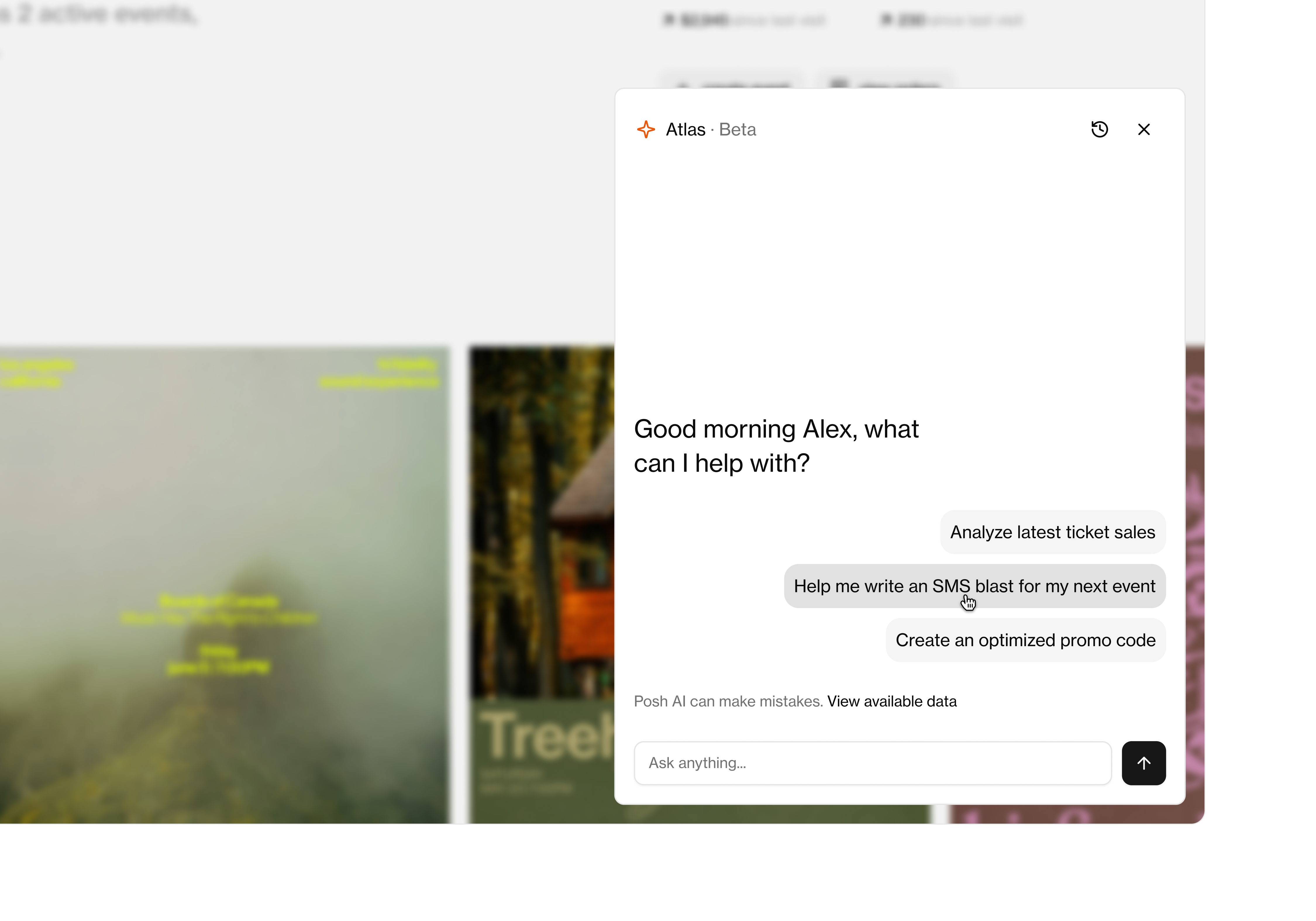
Posh Atlas
Atlas is a built-in AI assistant designed to help you understand how Posh works and instantly access insights about your event data, all in one place. Whether you’re setting up an event or checking performance, Atlas helps you move faster by answering questions about the Posh platform and your own event insights. Try out Atlas by asking questions like:
- “How do I create a new event?”
- “How does Kickback work?”
- How do I get paid from ticket sales?
Currently Atlas is only supported for organizations on Posh with $500 in net revenue or more. Explore more here.
Organizer Analytics
Get deeper visibility into how your organization is performing with expanded analytics designed to help you make smarter decisions and grow over time.
All tables are now better organized, with:
- Advanced search
- Improved filtering
- Consistent layouts
- Faster navigation
Whether you're looking at attendees, orders, affiliates, or events, every table works the same way, so once you know your way around one, you know your way around all of them. Explore what each insight means and how to navigate your analytics here.
.png)
Event Page Filtering
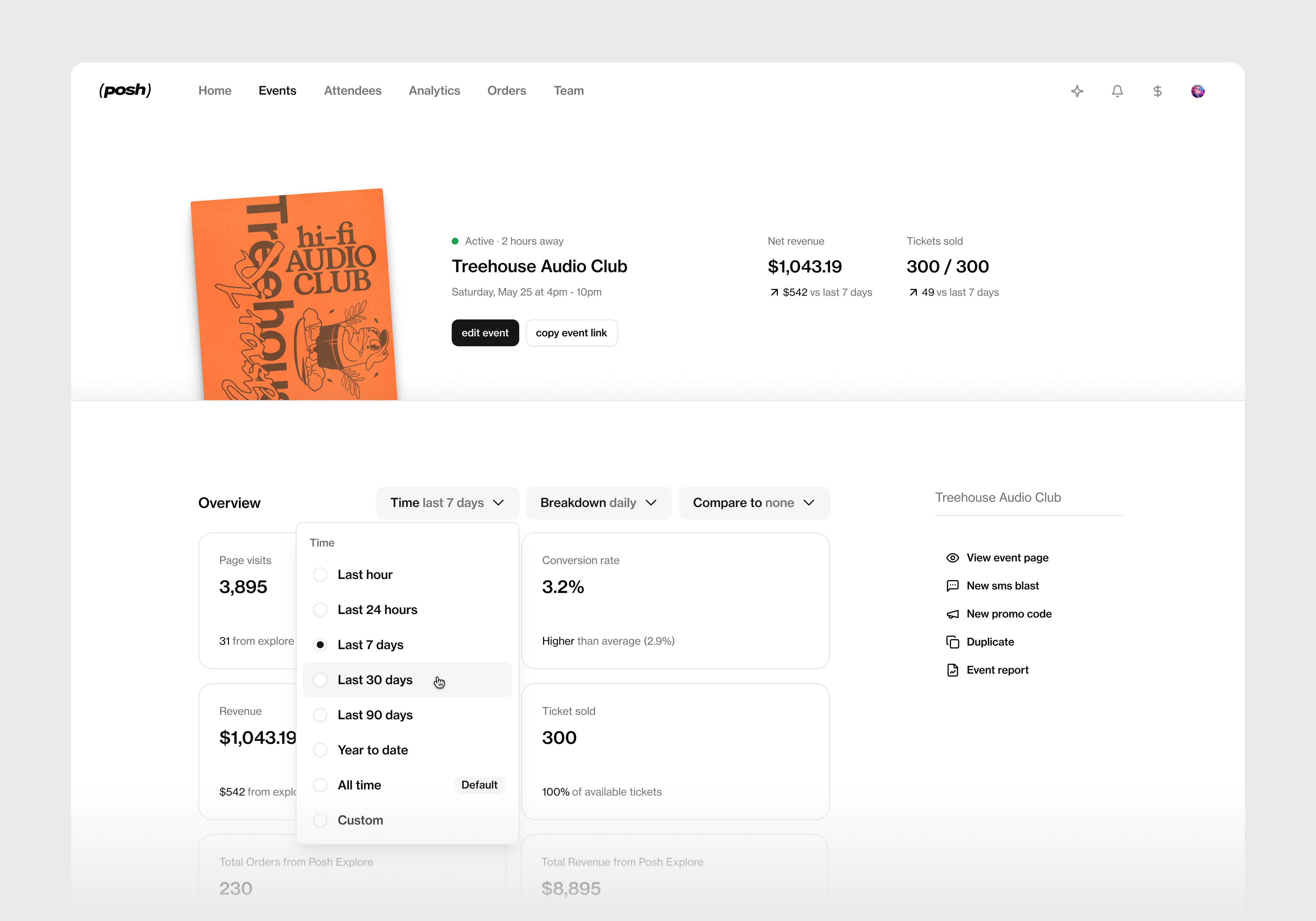
We have updated your event overview page to give you advanced filtering and insights into your event. You can now filter your page visits, revenue, tickets sold, conversion rate by
- Time period (last hour, last week, last month, etc)
- Daily breakdown: See your ticket sales by the hour or the day
Easier Navigation & Communication
We've simplified the dashboard to make finding what you need much more intuitive.
Cleaner Navigation
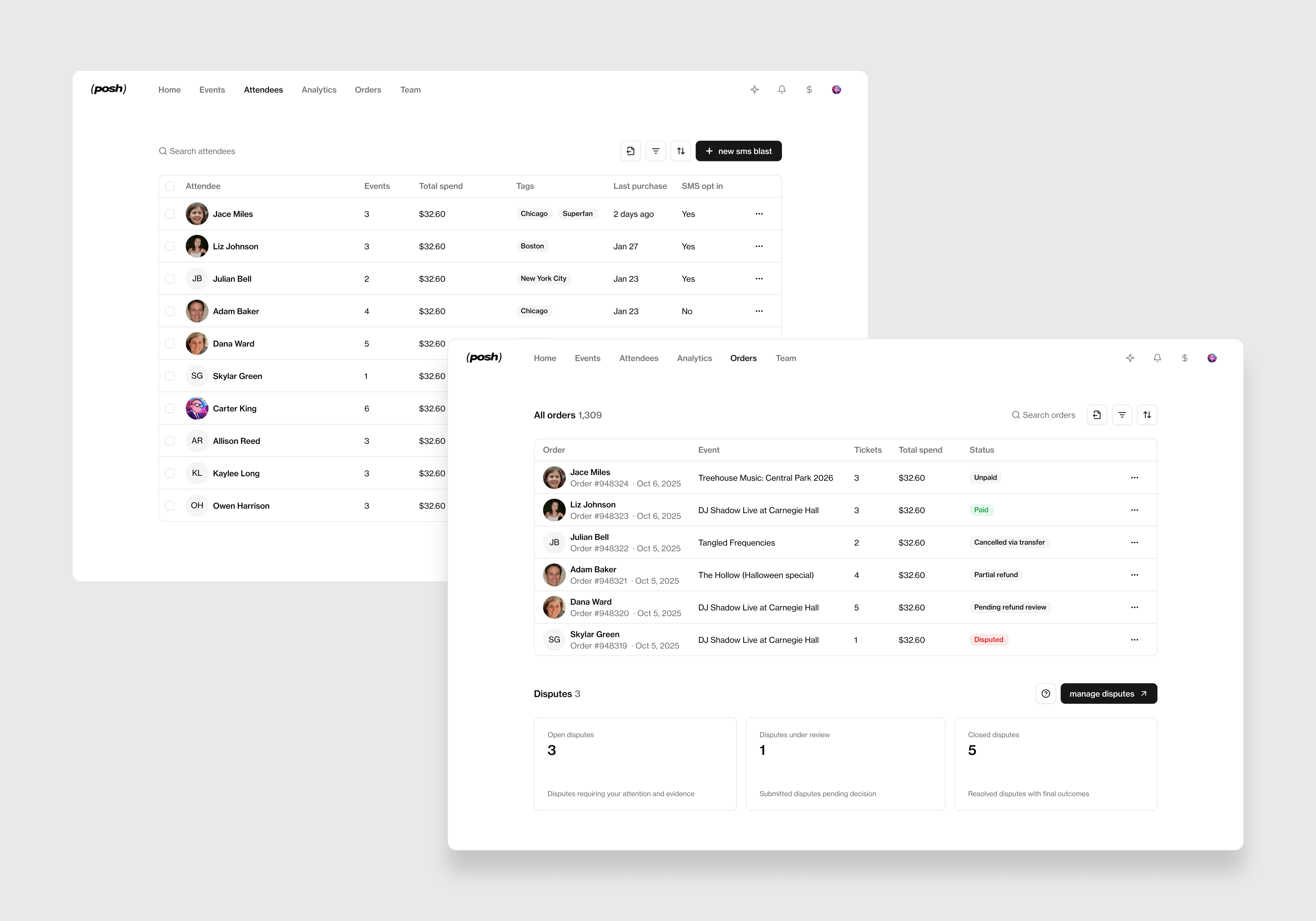
- Under your organization dashboard, the Marketing tab has now been renamed to Attendees. You can now access and filter through all attendee info and send targeted sms blasts to your community here.
- Attendees & Orders Tabs tabs now look the same on both your organization page and individual event pages, so you don't have to relearn the layout when switching between org level and event level.
Better Ticket, Order & Attendee Management
Finding the information you need is now faster and more intuitive. With improved organization, you can now manage tickets, orders, and attendees more efficiently throughout the lifecycle of your event.
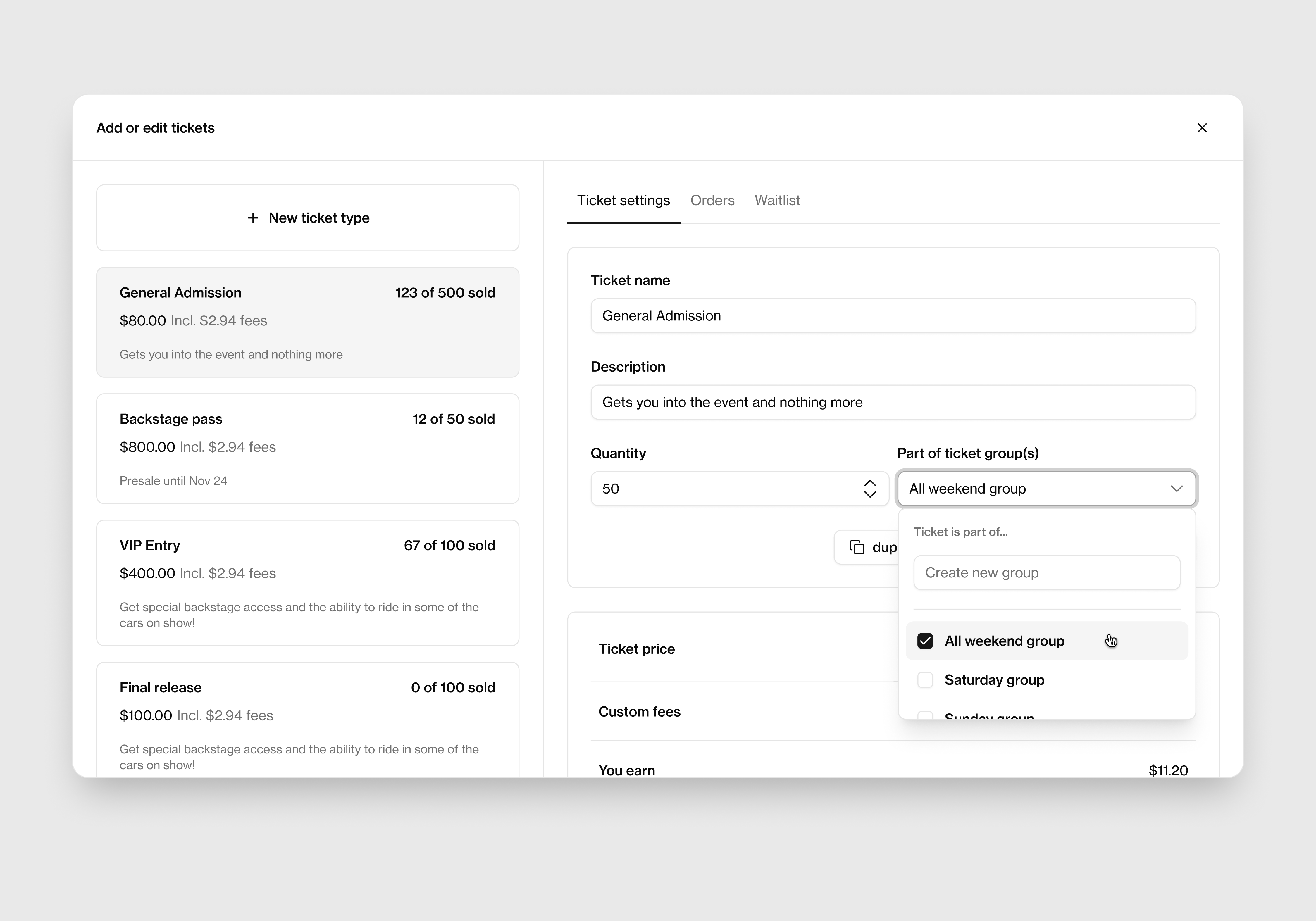
Base Ticket Pricing
Our new dashboard now allows you to set a base ticket price to create and manage ticket types more efficiently, reducing the need for repetitive pricing updates.
Faster Order Approvals
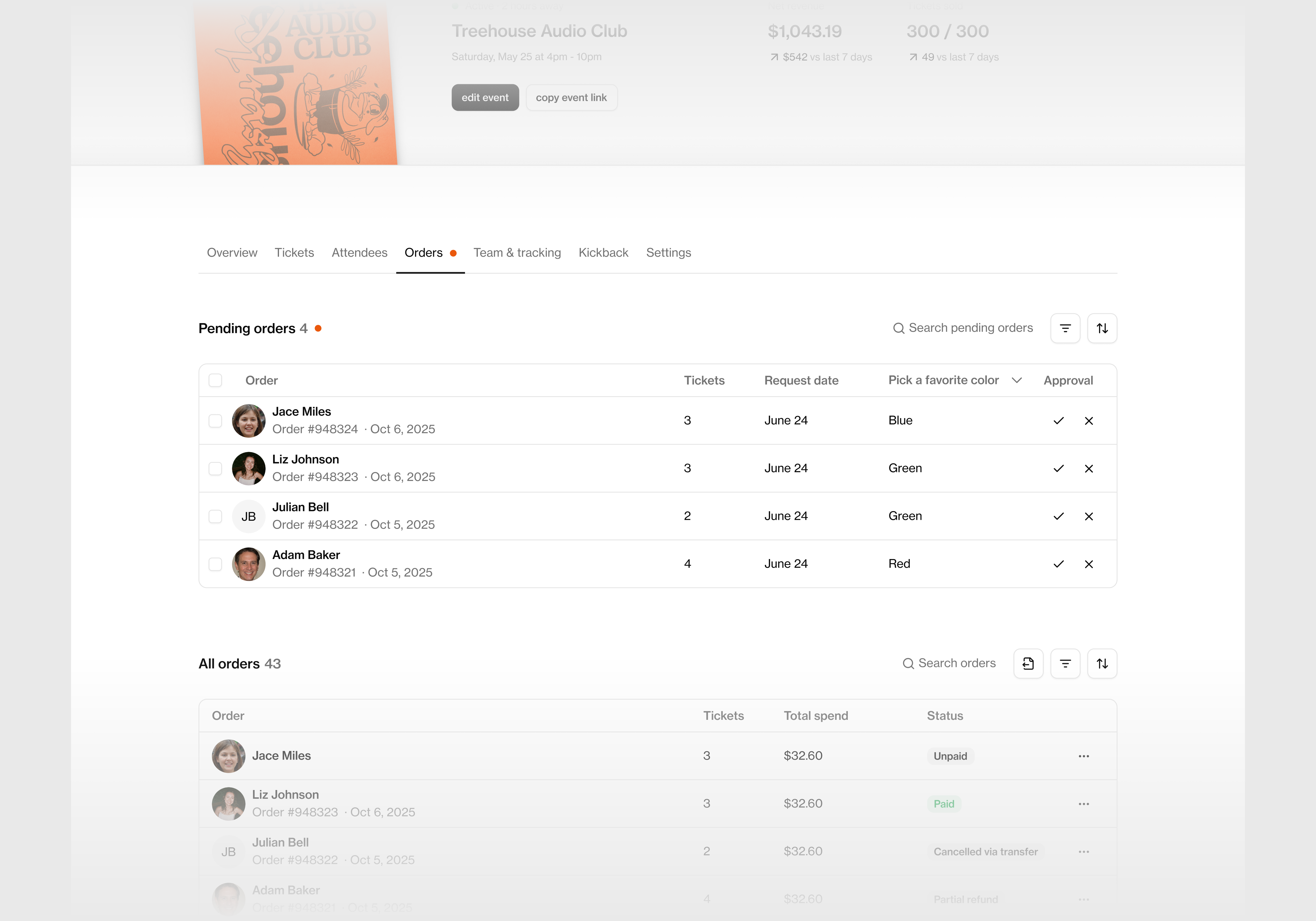
The standalone Pending Approval tab has now been removed. Instead, pending requests now live directly inside the Orders tab, reducing unnecessary tab switching and keeping everything in one workflow. Easily navigate between pending guests and the attendees already approved in your order list.
Quick-view Attendee Profiles
Need to quickly check in on an attendee or order?
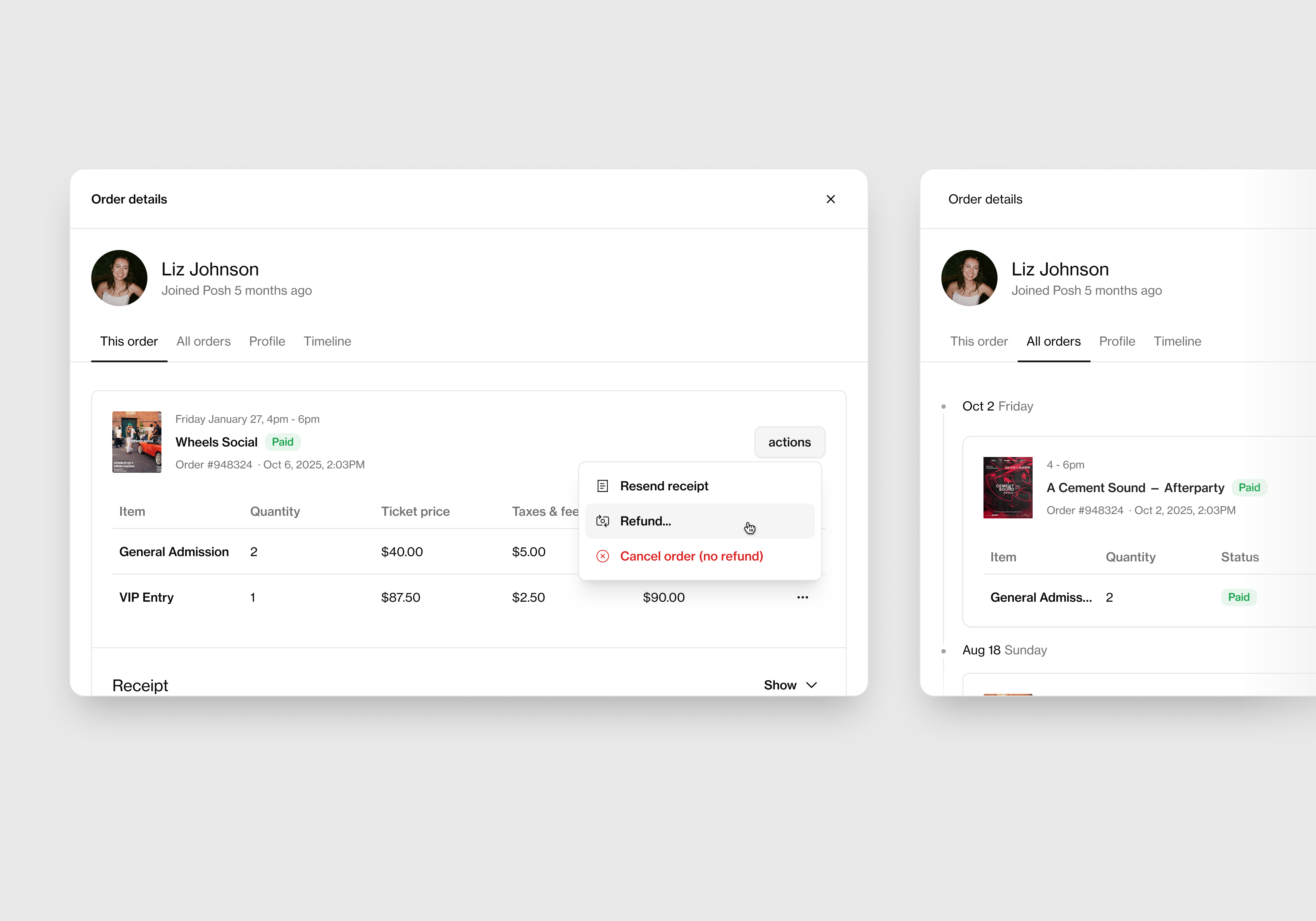
Attendee profiles and order details now open in a quick-view modal, letting you access important information without leaving your current page. You can now view information on:
- Current order details: ticket tier, price, fees, and pending status
- Full order history: every previous order the attendee has made with your organization
- Their Posh profile, including contact information
- Lifetime timeline: a complete view of every order they've made across their time on Posh
Smarter Event Alerts
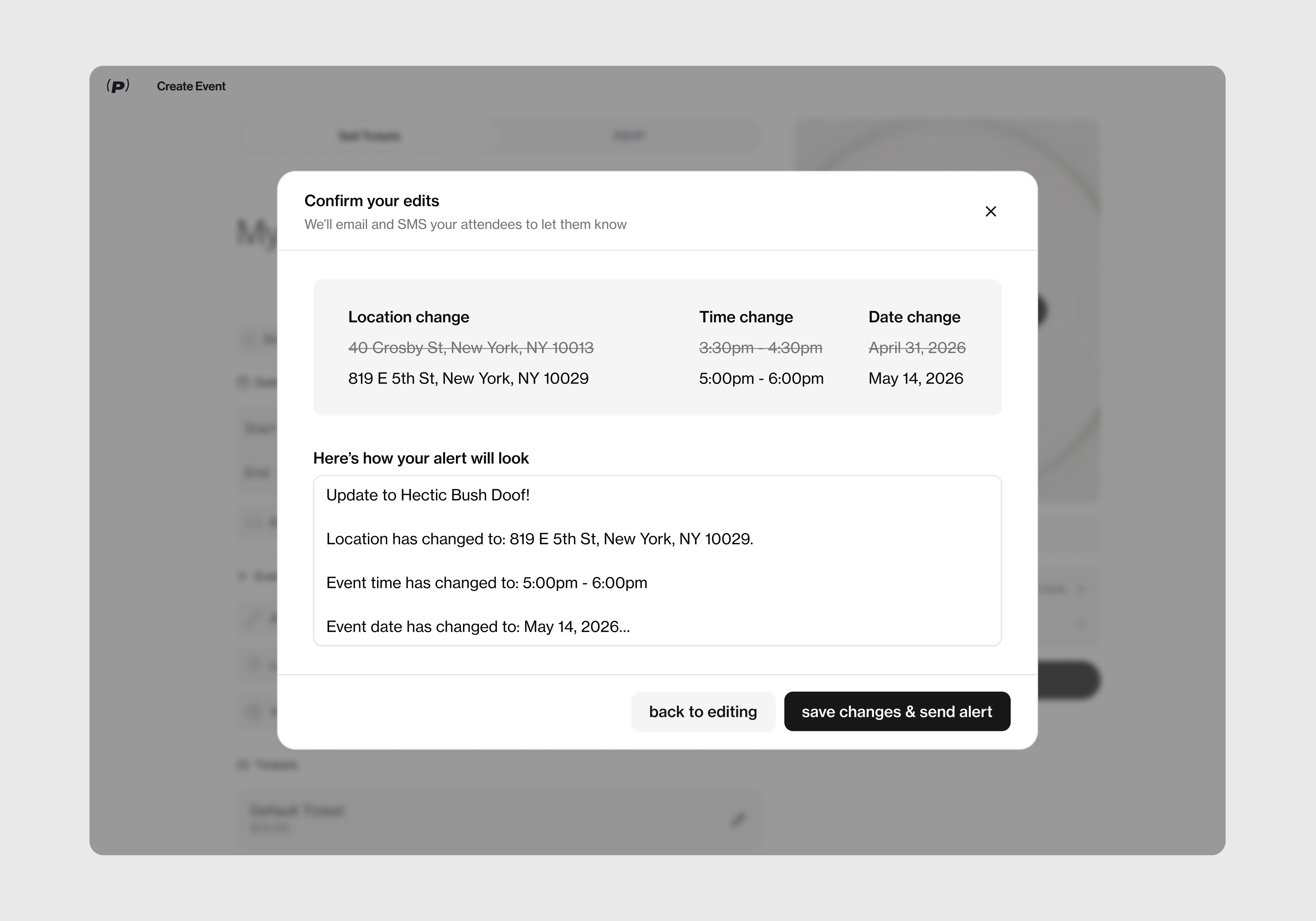
Keeping attendees informed is now built directly into any event updates that you adjust in your editor.
Instead of using a separate Event Alerts button, you'll now be prompted to notify attendees via SMS automatically whenever you make important changes to your event, like updating the time or location.
Event Changes and Refunds
Managing unexpected changes to your events is now much easier.
In the new dashboard, you can now easily:
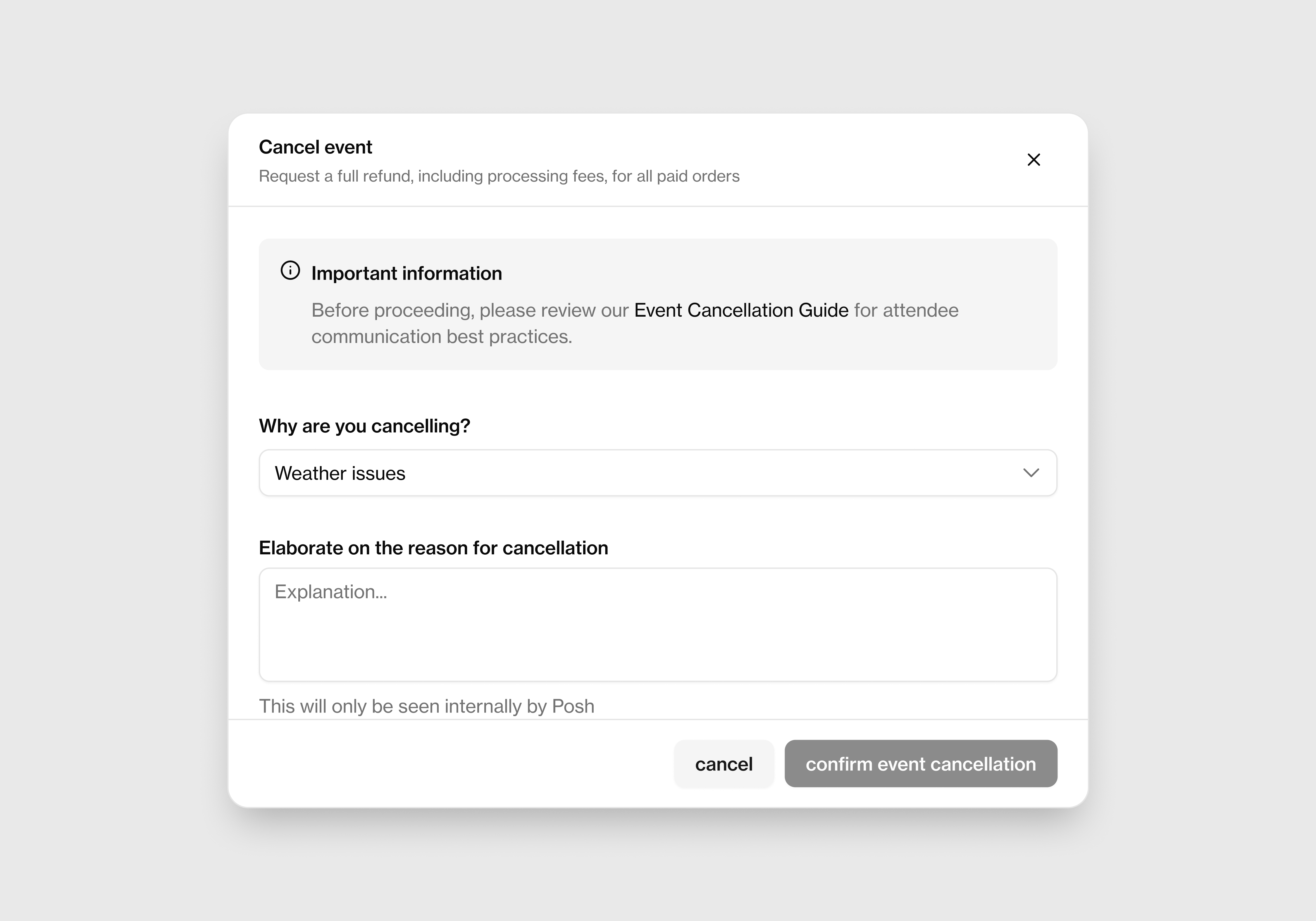
- Cancel events directly from Event Settings
- Request full attendee refunds during the same workflow
Everything happens in one place, making it faster to resolve issues when plans change.
Redesigned SMS & Affiliate Tools
Two of our most-used organizer tools have received major upgrades.
SMS Blasts
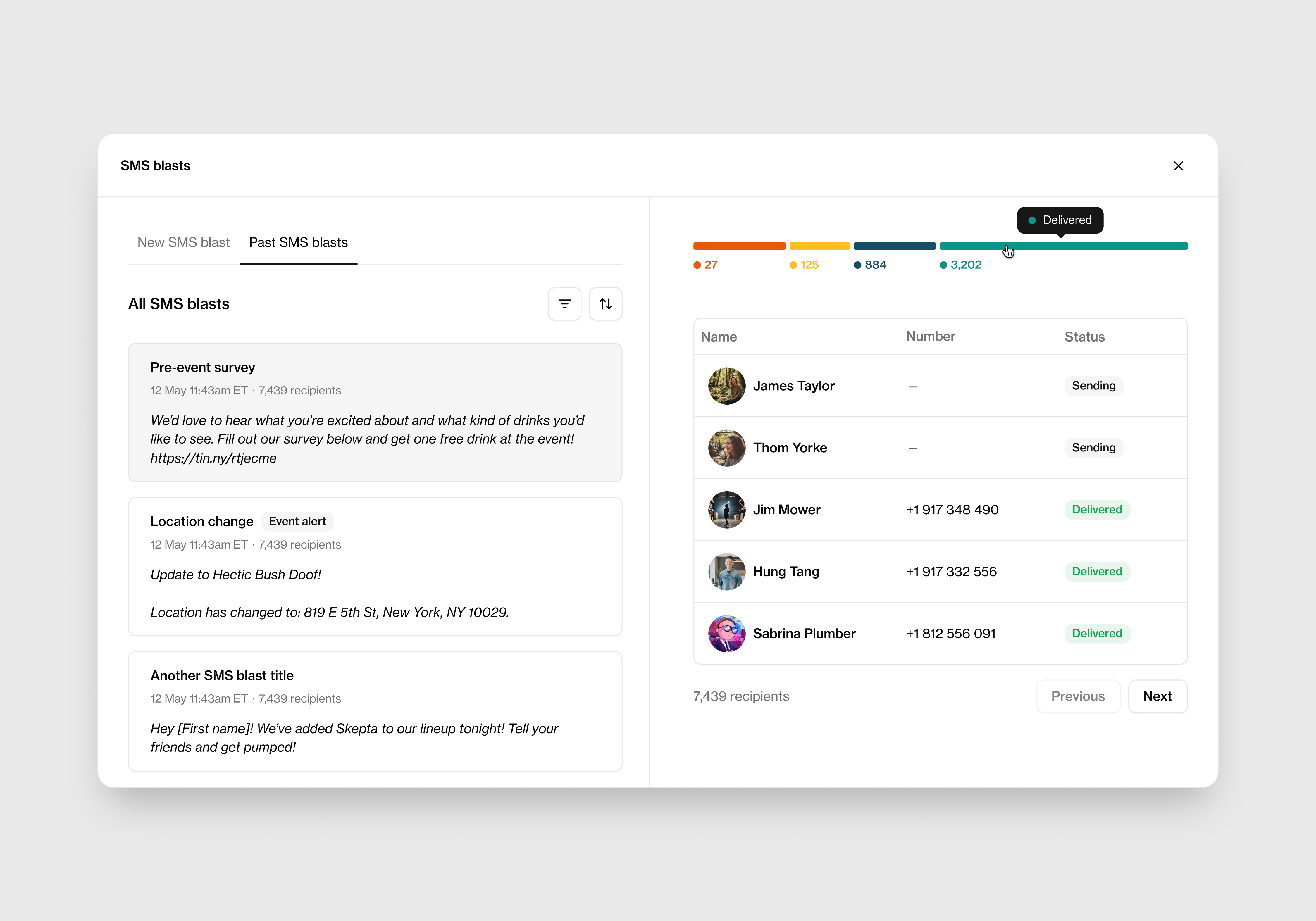
SMS is one of Posh's most incredible tools so we wanted to make sure it got the love it deserved. We have upgraded the SMS experience so you can now:
- Name and organize campaigns
- Filter previous campaigns
- Track campaign performance
- Manage outreach more efficiently
Kickbacks (Affiliates)
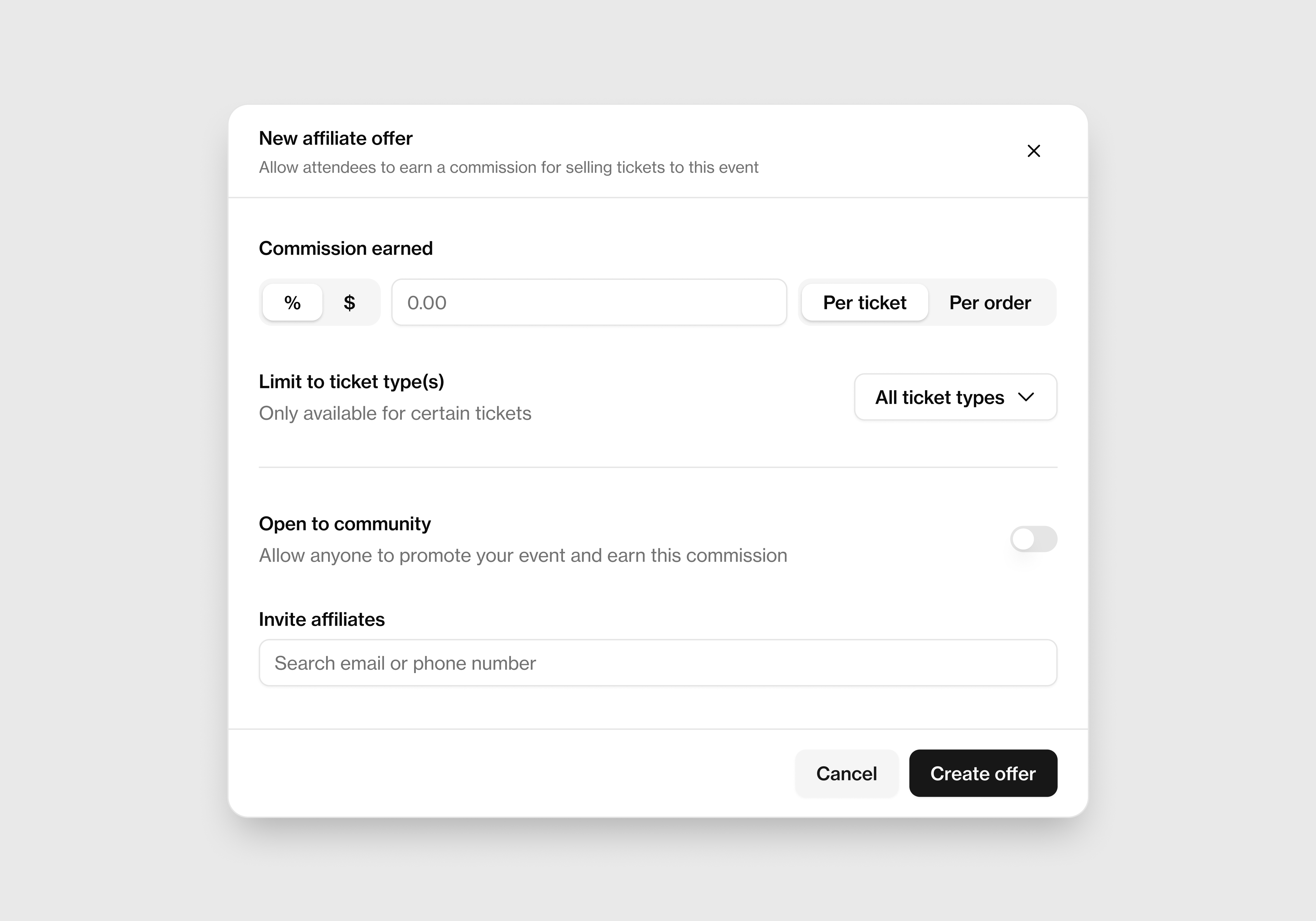
We've rebuilt Kickbacks from the ground up with a cleaner interface and simpler workflows, making it easier to:
- Create affiliate offers
- Manage your affiliate partners
- Track your affiliate performance
Unified Organizer Settings
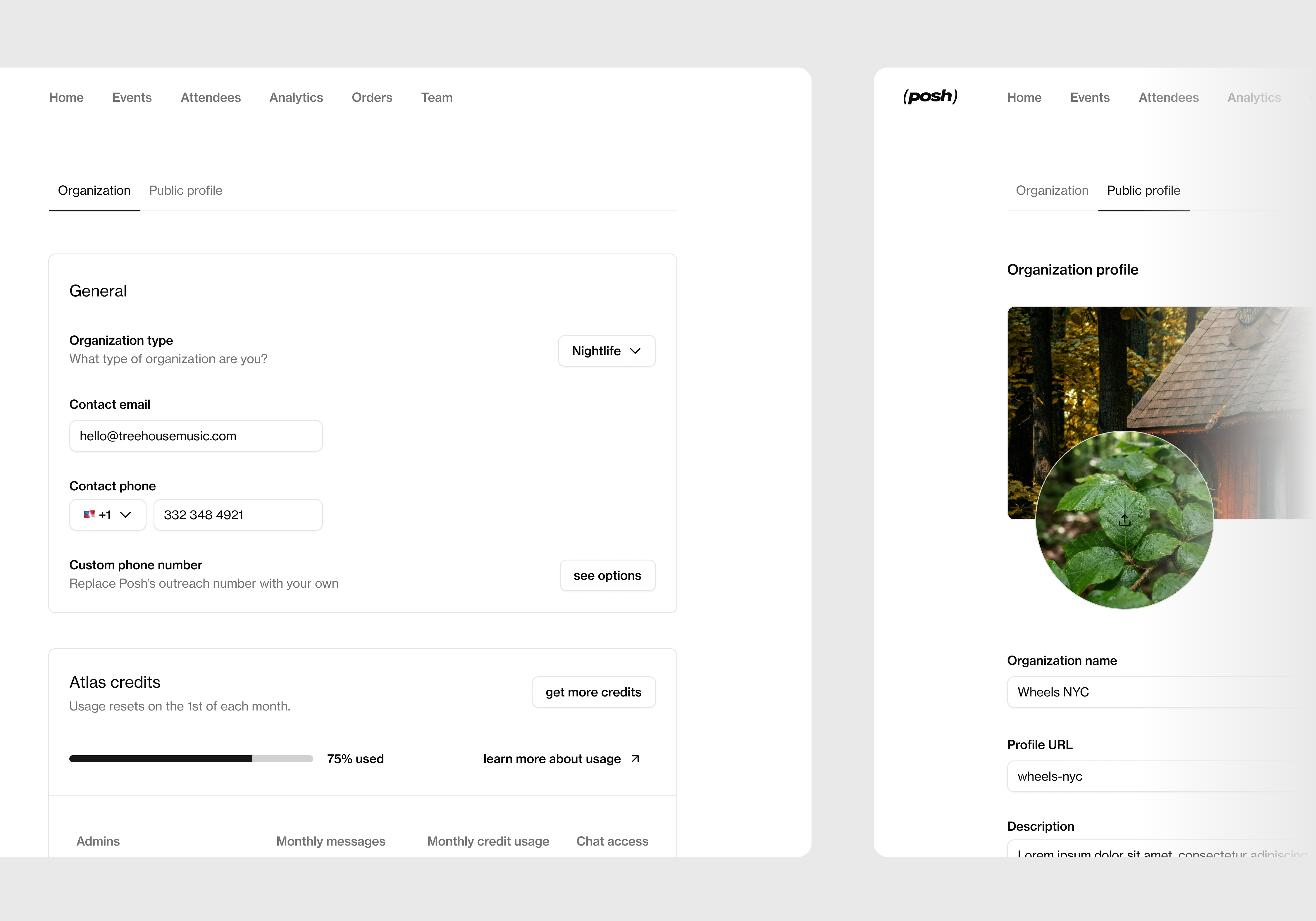
Your Organizer Settings and Public Profile have been combined into a single destination with a cleaner structure, making it easier to manage manage and make changes to your organization.
Built Around Organizer Feedback
Every update in this release was designed with one goal in mind: helping organizers spend less time managing their dashboard and more time creating incredible events.
Whether you're reviewing analytics, sending an SMS campaign, approving orders, or managing affiliates, the new Organizer Dashboard is built to help you move faster every step of the way.
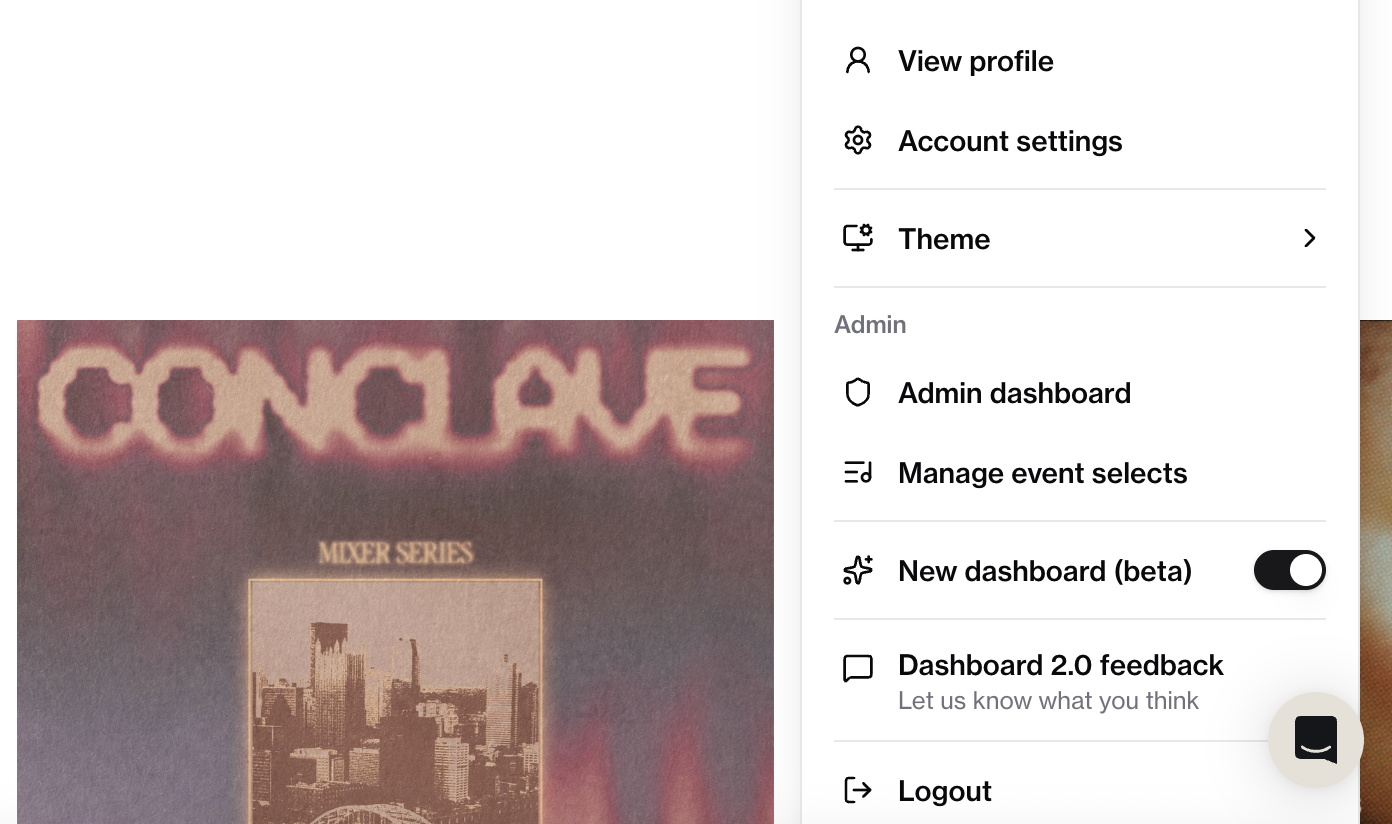
As always, this is just the beginning. We'll continue improving the platform based on your feedback, so don't be afraid to tell us how you feel. Submit feedback anytime in the Dashboard 2.0 feedback tab located above your logout button in your organization dashboard.
Ready to grow your community? Create your next event →



Join Our Newsletter
Get a weekly selection of curated articles from our editorial team.